What you build. A menu with dishes, sorted by course (Starters, Mains, Desserts), each with a price, a photo, allergens and a vegan badge. Editors add dishes like posts. The page of the menu prints them by course.
What you use. A content type, a taxonomy, one field group, ugly_find().
Step 1. The content type
- UglyFields → Content types → New content type.
- Choose A list of things.
- Change the example: singular
Dish, pluralDishes, keydish. - In Parts of the editing screen, keep Title and Featured image, and turn off Content editor. The fields will be all there is.
- In Addresses on the site, set Start of the address to
menu. - Create.

Step 2. The taxonomy
- Open the Taxonomies tab, then New taxonomy.
- Choose Categories.
- Singular
Course, pluralCourses, keycourse. Under Content types, tick Dish. - Create.
Make three courses from the new Courses screen of the Dishes menu: Starters, Mains, Desserts.
Step 3. The fields
- UglyFields → Field groups → New group. Name it
Dish details. - Add:
- Number
Price, with Smallest number0, Step0.5and Text before the box€. - Checkboxes
Allergens, with choices typed one per line:gluten,dairy,nuts,eggs. - Yes / No
Vegan. - Text area
Description.
- Number
- Location → Post type is Dish.
- Create group.
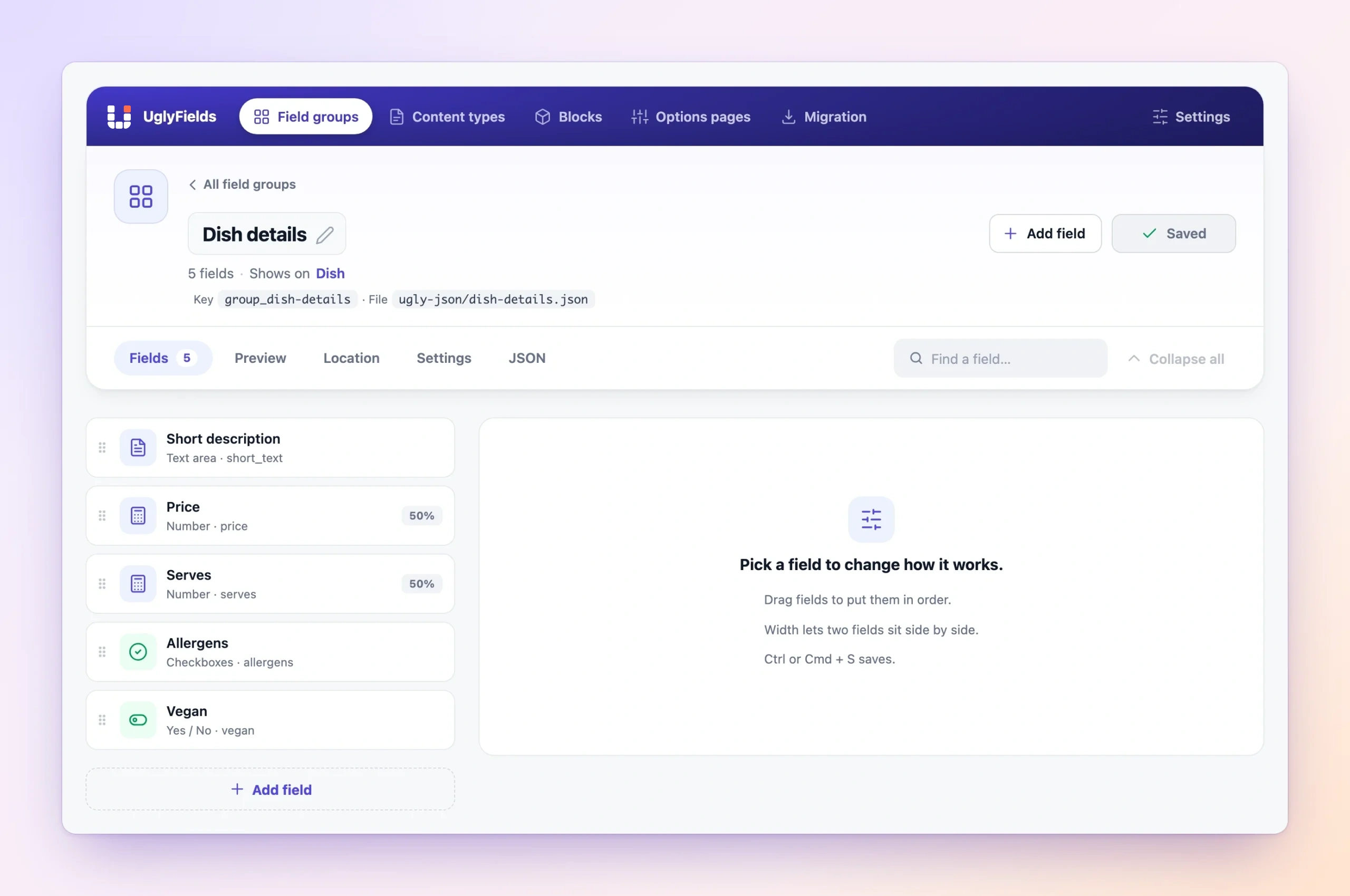
Now add a dish: Dishes → Add new. The fields are there.
Step 4. The template of one dish
single-dish.php:
<?php get_header(); ?>

<?php while ( have_posts() ) : the_post(); ?>
	<article class="dish">
		<?php the_post_thumbnail( 'large' ); ?>

		<h1><?php the_title(); ?></h1>

		<p class="dish__price">€ <?php ugly_show( 'price' ); ?></p>

		<?php if ( ugly_get( 'vegan' ) ) : ?>
			<span class="badge">Vegan</span>
		<?php endif; ?>

		<?php if ( ugly_get( 'description' ) ) : ?>
			<p><?php ugly_show( 'description' ); ?></p>
		<?php endif; ?>

		<?php $allergens = (array) ugly_get( 'allergens' ); ?>
		<?php if ( $allergens ) : ?>
			<p>Contains: <?php echo esc_html( implode( ', ', $allergens ) ); ?></p>
		<?php endif; ?>
	</article>
<?php endwhile; ?>

<?php get_footer(); ?>
Step 5. The menu page, by course
page-menu.php:
<?php get_header(); ?>

<h1>Menu</h1>

<?php
$courses = get_terms( array( 'taxonomy' => 'course', 'hide_empty' => true ) );

foreach ( $courses as $course ) :
	$dishes = new WP_Query(
		array(
			'post_type'      => 'dish',
			'posts_per_page' => -1,
			'orderby'        => 'title',
			'order'          => 'ASC',
			'tax_query'      => array(
				array(
					'taxonomy' => 'course',
					'terms'    => $course->term_id,
				),
			),
		)
	);
	?>
	<section>
		<h2><?php echo esc_html( $course->name ); ?></h2>

		<?php while ( $dishes->have_posts() ) : $dishes->the_post(); ?>
			<article>
				<h3><?php the_title(); ?> <span>€ <?php ugly_show( 'price' ); ?></span></h3>
			</article>
		<?php endwhile; wp_reset_postdata(); ?>
	</section>
<?php endforeach; ?>

<?php get_footer(); ?>Step 6. Only the vegan dishes
$vegan = ugly_find( 'dish', array( 'vegan' => true ), array( 'order' => 'price asc' ) );What you learned
- A content type, a taxonomy and a group are three separate things that work together by location.
ugly_find()gives you aWP_Queryand takes conditions on fields as an array. For a taxonomy, use a normalWP_Query.- Everything you made is in
ugly-json/, ready to commit.