Options and content types
Content types
A content type is a kind of thing you write in the admin, like Posts and Pages: Recipes, Events, Team. You make them without writing register_post_type().
On this page
Making one
- Go to UglyFields → Content types → New content type.
- If Ask what to build is on, choose what it is like: A list of things, Pages with parents and children or Private content. The form opens with an example already filled in, to change.
- Fill in the singular and plural names and the key.
- Press Create.
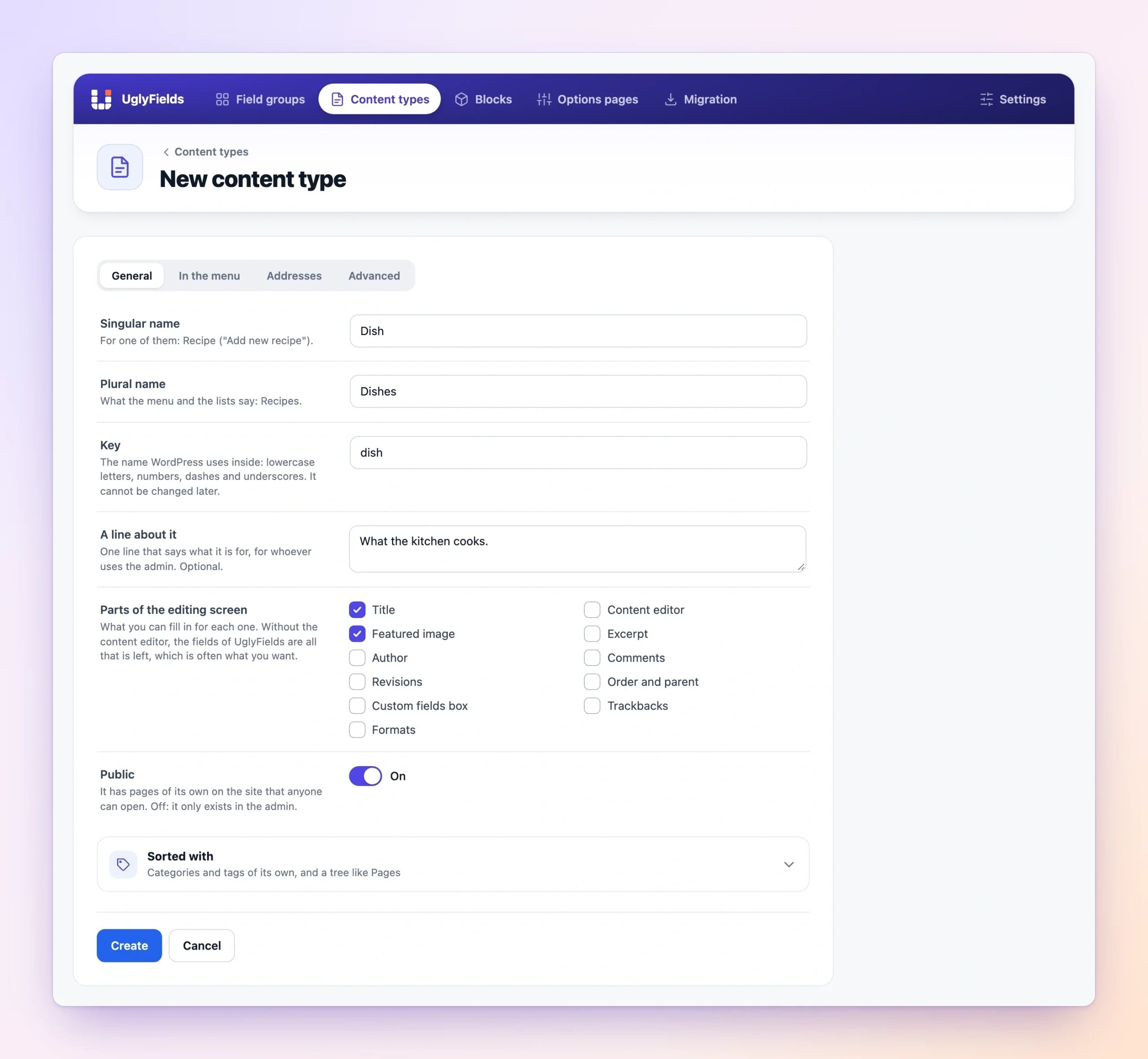
The form, tab by tab
General
| Setting | What it does |
|---|---|
| Singular name | For one of them: Recipe ("Add new recipe") |
| Plural name | What the menu and the lists say: Recipes |
| Key | The name WordPress uses inside: lowercase letters, numbers, dashes and underscores (up to 20). It cannot be changed later |
| A line about it | One line that says what it is for, for whoever uses the admin. Optional |
| Public | Whether the content is visible on the site |
| Parts of the editing screen | What you can fill in for each one. Without the content editor, the fields of UglyFields are all that is left, which is often what you want |
| Taxonomies | Ways to sort it. You can also attach a taxonomy from its own form |
| Has parents and children | Like Pages (a tree) instead of like Posts (a flat list) |
In the menu
| Setting | What it does |
|---|---|
| Icon | Pick one, or write an address below |
| Place in the menu | A number: the smaller, the higher (Posts are 5, Pages 20). 0 puts it after the others |
| Where it goes | Its own item, or under another menu (Tools, Settings…) |
Addresses on the site
| Setting | What it does |
|---|---|
| A page with the whole list | An address like /recipes/ that lists them all (an "archive") |
| Start of the address | recipes makes /recipes/ and /recipes/my-dish/. Empty: the key |
| Keep the prefix of the permalinks | If your links start with something like /blog/, the address keeps it |
Advanced
Options that most sites never change.
| Setting | What it does |
|---|---|
| In the REST API and the block editor | The block editor (Gutenberg) and apps that read /wp-json need this on |
| Hide it from the search of the site | Leave it out of the search results |
| Who can edit it | Like Posts: whoever writes posts. Like Pages: whoever edits pages |
Using a content type with a field group
A content type you made appears in Location: choose Post type is Recipe, and your fields show up on its edit screen.
Where it is stored
In the database and in ugly-json/content-types.json, so it travels with your theme. A content type that you remove goes to the trash. What was written in it stays in the database, and restoring it puts it back in the menu, unless another one with the same key was made meanwhile.
Did this article answer your question?
Thank you. It helps us make the documentation better. Need more help?