The builder
The Settings tab of a group
On this page
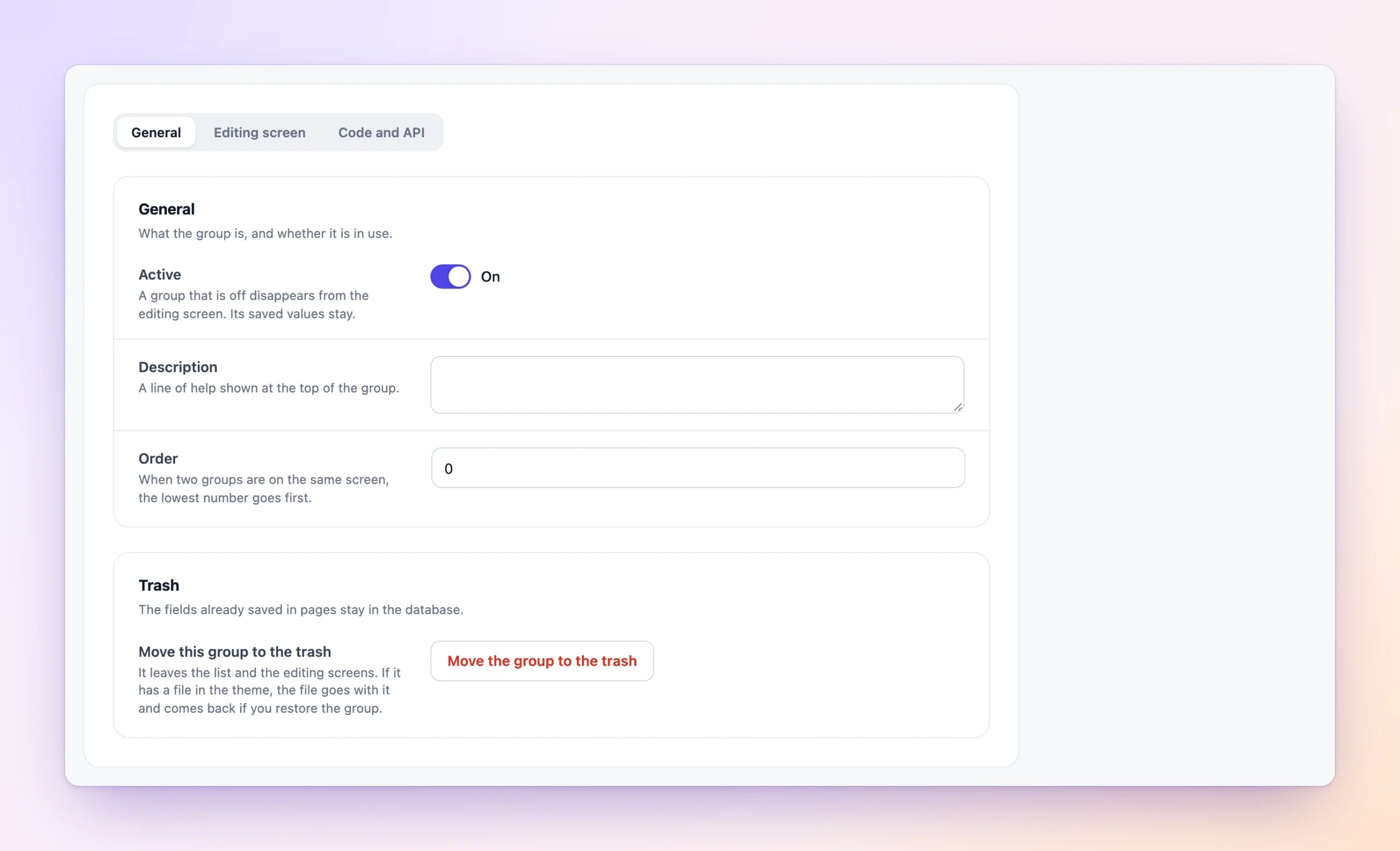
General
| Setting | What it does |
|---|---|
| Active | A group that is off disappears from the editing screens. Its saved values stay |
| Description | A line of help shown at the top of the group |
| Order | When two groups are on the same screen, the lowest number goes first |
| Move this group to the trash | It leaves the list and the editing screens. If it has a file in the theme, the file goes with it and comes back if you restore the group |
Editing screen
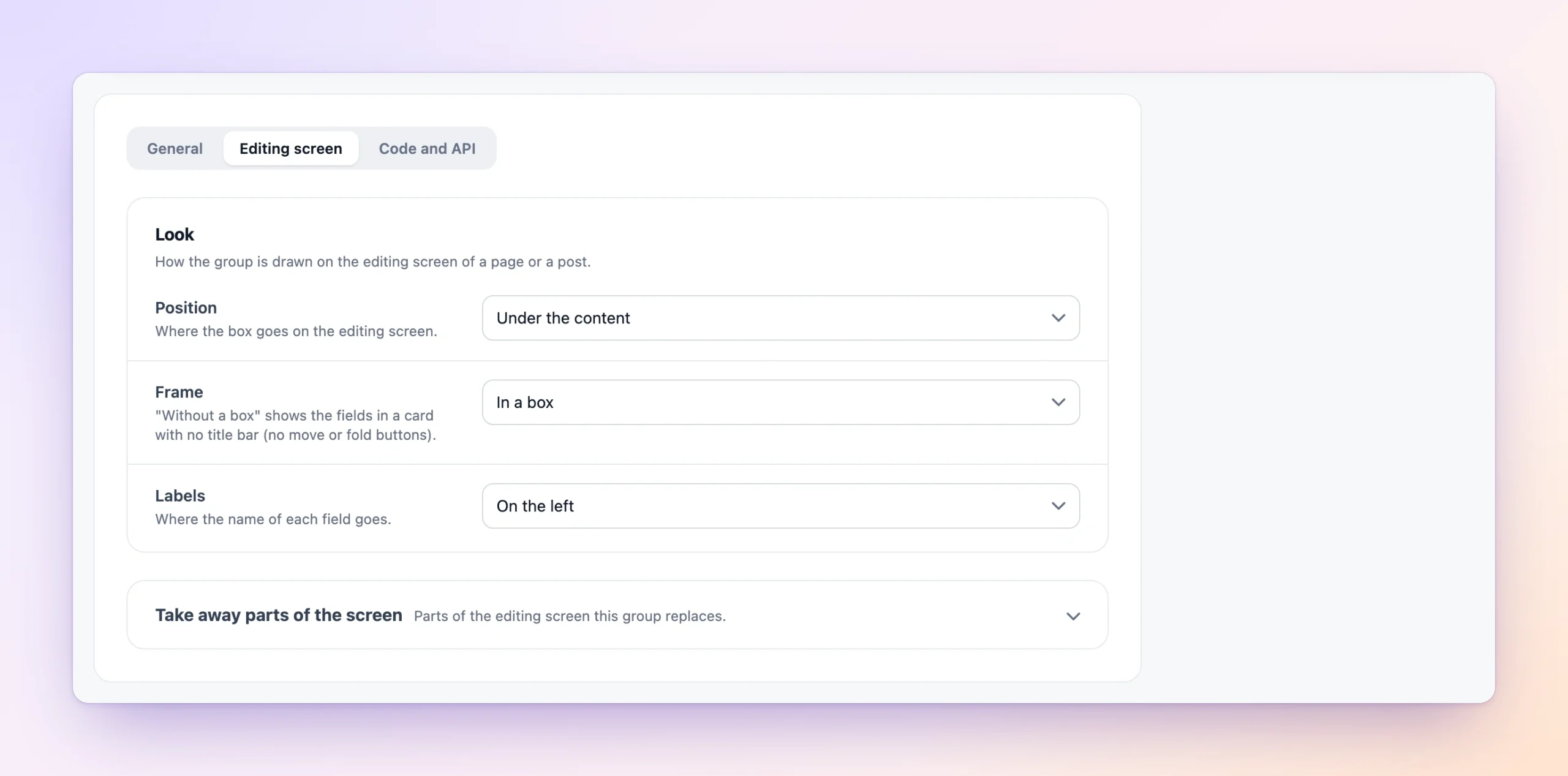
| Setting | What it does |
|---|---|
| Position | Where the box goes: Under the content, In the side column, or Right under the title |
| Frame | In a box (the default) or "Without a box", which shows the fields in a card with no title bar (no move or fold buttons). A small pencil appears over them for people who can build groups |
| Labels | Where the name of each field goes: Above the field or On the left |
| Hide | Parts of the editing screen this group replaces. See the list below |
Parts of the editing screen you can hide: the content editor, the excerpt, the featured image, categories, tags, the slug, the author, the WordPress "Custom fields" box, discussion, comments, revisions, page attributes, the format and trackbacks.
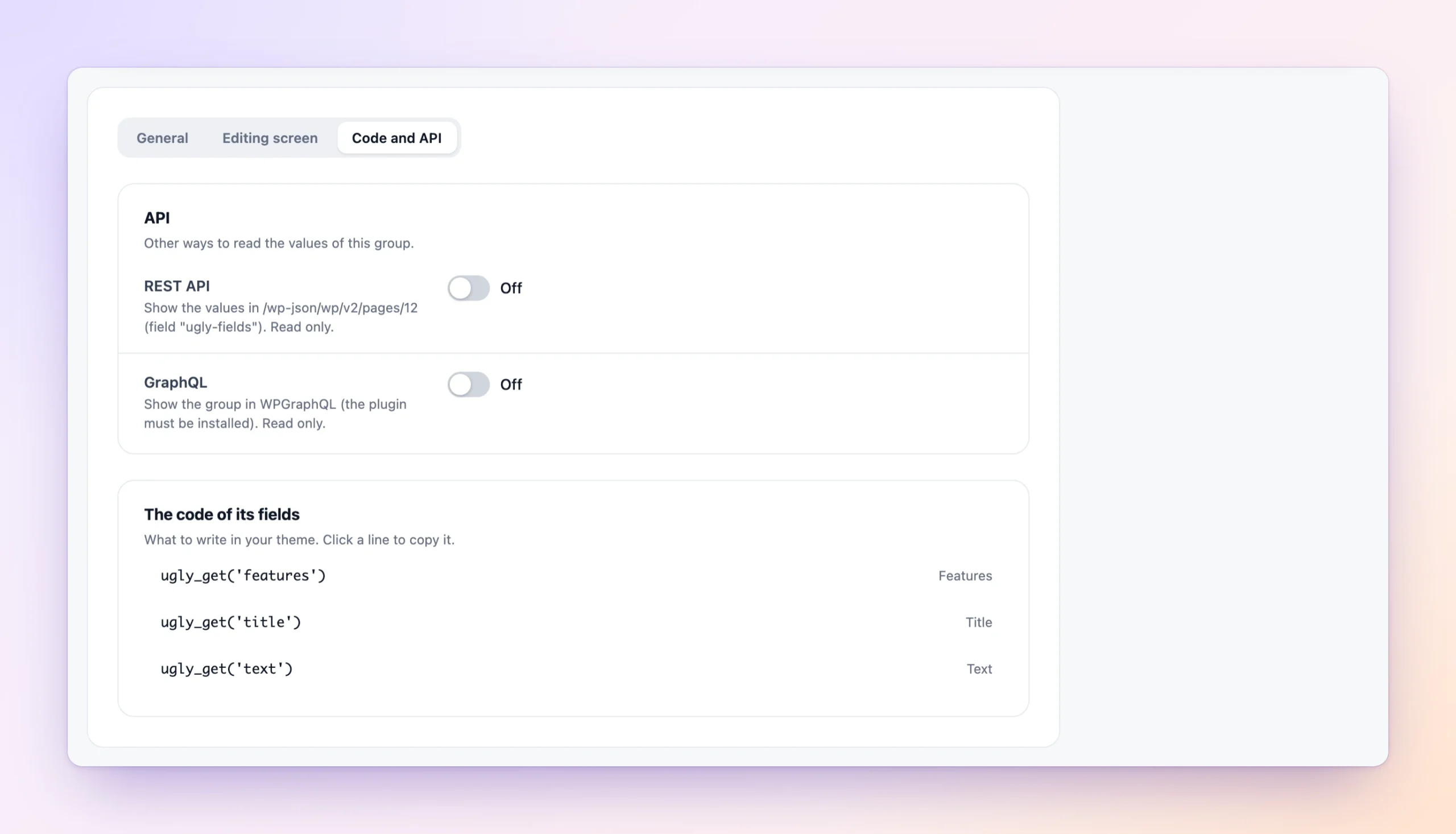
Code and API (advanced mode)
| Setting | What it does |
|---|---|
| REST API | The values of this group come out in /wp-json/wp/v2/pages/12, in the field ugly-fields. Read only. See REST |
| GraphQL Pro | The group appears in WPGraphQL |
| The code of its fields | A list of lines you can paste into your theme, one for each field. Click a line to copy it |
Did this article answer your question?
Thank you. It helps us make the documentation better. Need more help?