Quickstart
A real example: a hero with a picture and a button
Let us make something you would actually ship. A hero has a headline, a short text, a picture and a button.
On this page
1. Add the fields
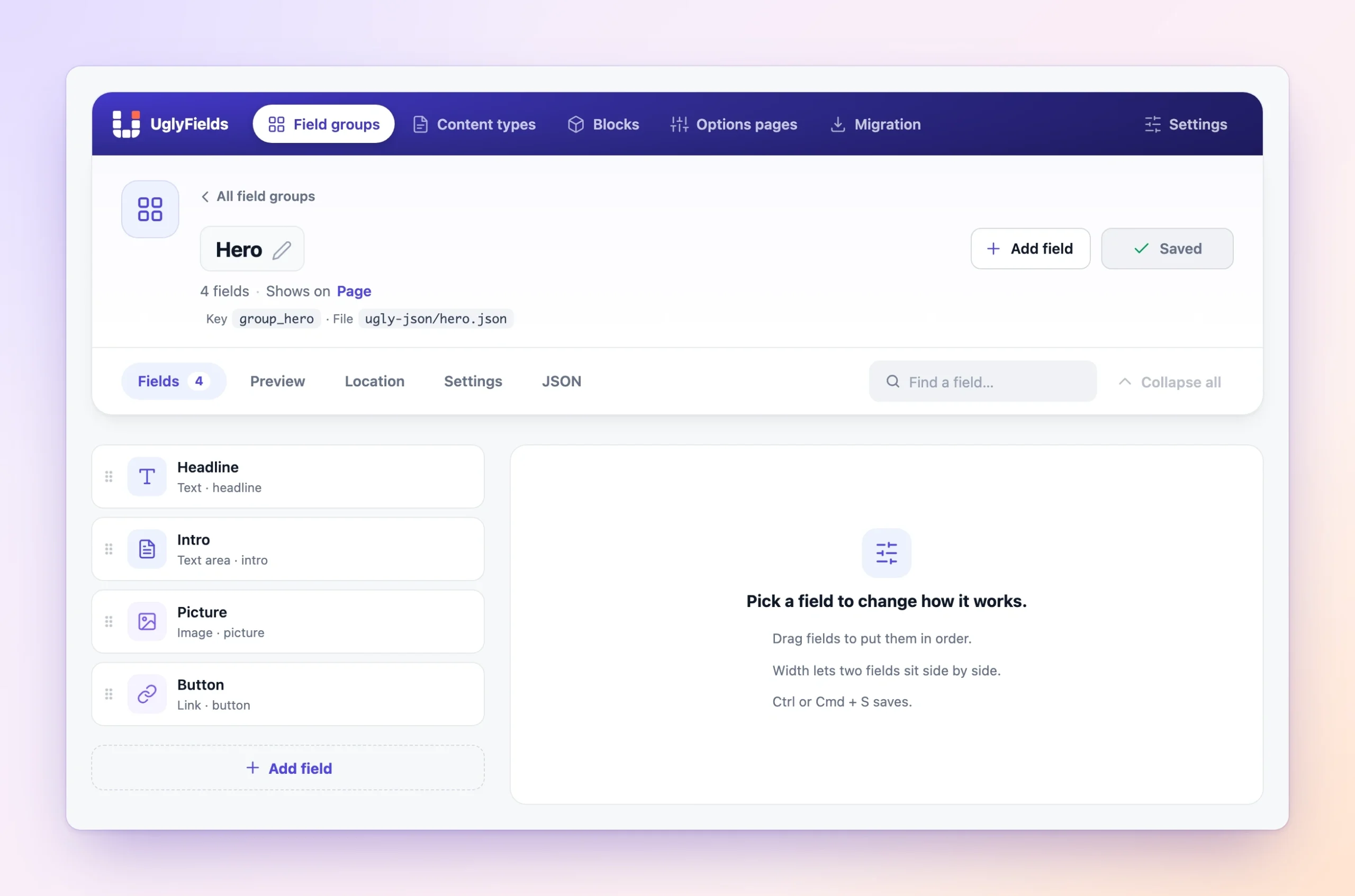
Open the Hero group again and add:
| Type | Name | Code name | Setting to check |
|---|---|---|---|
| Text | Headline | headline |
(already there) |
| Text area | Intro | intro |
|
| Image | Picture | picture |
What the code receives: The ID (the default) |
| Link | Button | button |
Press Save. The group has four fields.
2. Fill it in
Edit the page. Type a headline and an intro, choose a picture from the media library, and fill in the button: the address, the text, and tick Open in a new tab if you want.
3. Print it
<?php if ( ugly_get( 'headline' ) ) : ?>
	<section class="hero">
		<div class="hero__text">
			<h1><?php ugly_show( 'headline' ); ?></h1>
			<?php ugly_show( 'intro' ); ?>

			<?php $button = ugly_get( 'button' ); ?>
			<?php if ( $button ) : ?>
				<a class="button" href="<?php echo esc_url( $button['url'] ); ?>"<?php echo '_blank' === $button['target'] ? ' target="_blank" rel="noopener"' : ''; ?>>
					<?php echo esc_html( $button['title'] ); ?>
				</a>
			<?php endif; ?>
		</div>

		<?php
		$picture = ugly_get( 'picture' );
		if ( $picture ) {
			echo wp_get_attachment_image( $picture, 'large', false, array( 'class' => 'hero__picture' ) );
		}
		?>
	</section>
<?php endif; ?>
What this shows:
ugly_show()for what you only print (a headline, an intro).ugly_get()for what you decide with or build from (a link, an image ID).- WordPress' own functions (
wp_get_attachment_image(),esc_url()) for what they do best. UglyFields does not wrap them. - A link is an array with
url,titleandtarget. An image returns its ID, so WordPress draws the<img>with its sizes and alt text.
More hero variations, with an optional button and a background image, are in the Cookbook.
Did this article answer your question?
Thank you. It helps us make the documentation better. Need more help?