Git and deploys
Bring in my ACF groups
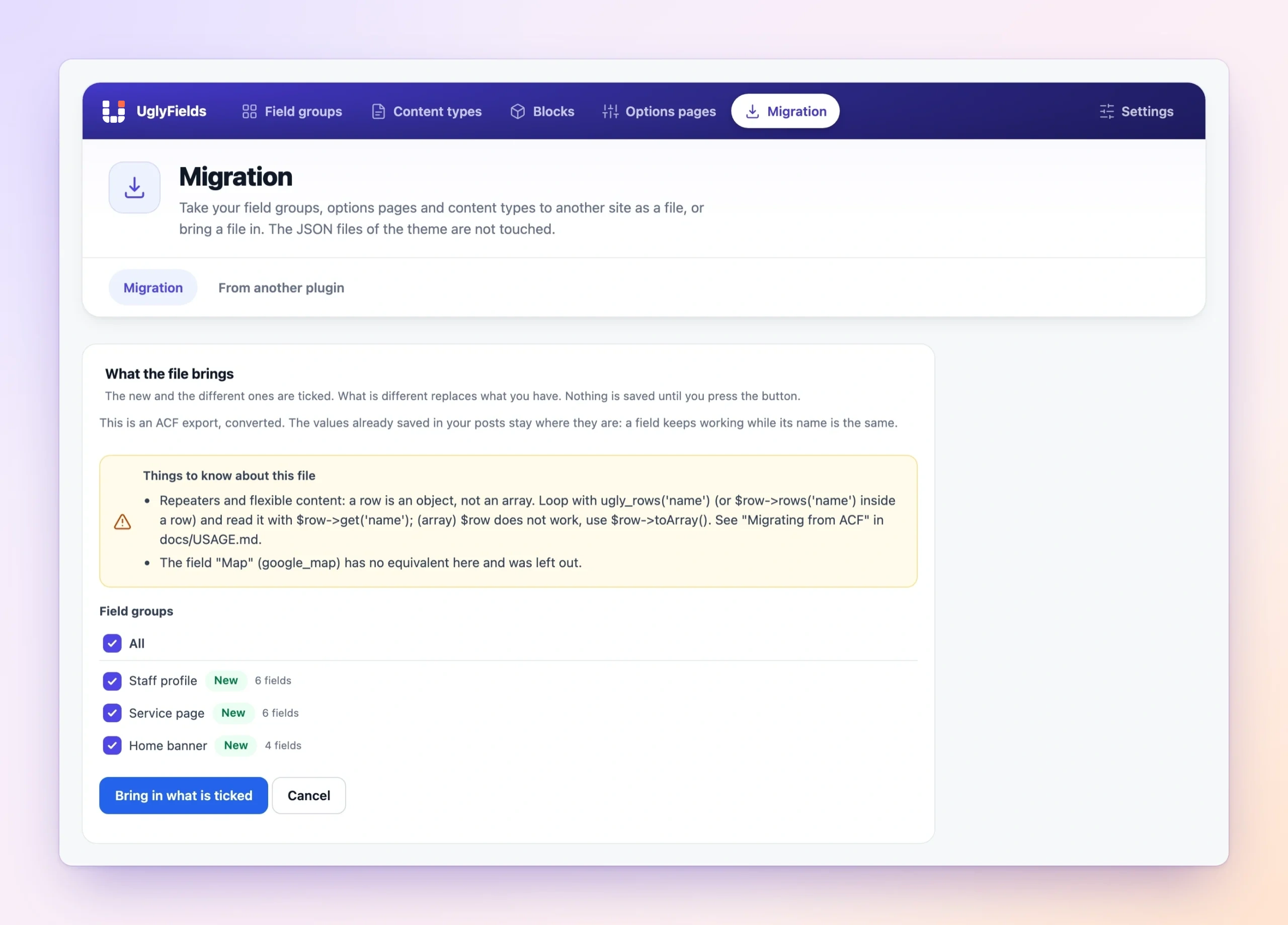
- In ACF, export your field groups to a JSON file.
- In UglyFields: Migration → Import, choose the file.
- It is read first. You see what it brings: new, different, the same or not valid.
- Press Bring in what is ticked.
Then change the function names in your theme: get_field() → ugly_get(), the_field() → ugly_show(), have_rows() loops → foreach ( ugly_rows() … ). The values already saved keep showing. The full list is in Moving from ACF and the names table.
Did this article answer your question?
Thank you. It helps us make the documentation better. Need more help?